Our team maintains a multi-market automotive site built on a headless CMS and Next.js. Its media library holds about 13,700 images, and the alt text field is localised across 38 locales with no fallback. When an image has no alt text in a locale, the page renders alt="" there.
Alt text was already on our list of SEO recommendations for the site, as classic low-hanging fruit for organic traffic. Descriptive alt text helps images rank in image search, and screen readers rely on the same text.
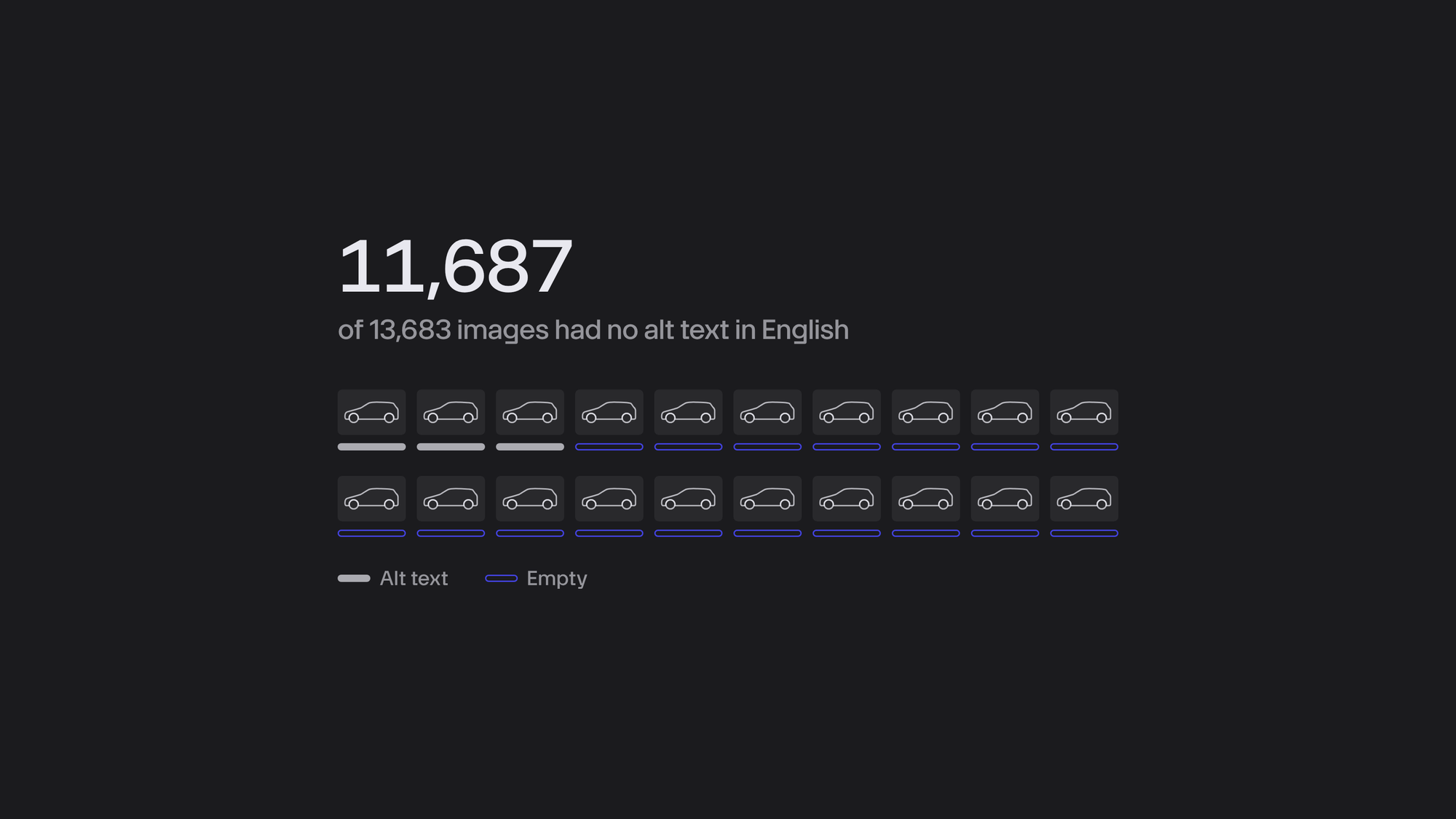
The problem was never the why; it was the scale. In the default English locale, 11,687 of 13,683 images had no alt text, and the other locales were 97 to 98 percent empty. What did exist was mostly a filename or a press-release headline rather than a description. Writing 13,700 descriptions and then covering 38 locales was more than the client's team had the time or budget for.
AI changed the cost of that work, and we finished it in two days. This post walks through the pipeline, the mistakes the models made, and the checks that caught them. A quick note on terms: a caption is the text a model proposes, and alt text is the approved value that ends up in the CMS.
Step 1: Count and sort the images
We started by pulling every image from the CMS REST API in a single paginated query, with its folder path, MIME type, dimensions and alt text in every locale. That gave us one inventory file to work from.
Next, we grouped the images by folder and MIME type. SVG, TIFF and Photoshop files were skipped, since the vision model accepts only raster images. Folders named "not used" and the configurator colour renders stayed in but were grouped, so a reviewer could scan near-identical renders side by side. Icon folders were captioned too, and the reviewer decided whether each icon was decorative or informative.
Step 2: Caption with a local vision model
For captioning, we used Gemma 4 12B (gemma4:12b), an open-weights multimodal model. It ran under Ollama on a workstation with a 16 GB consumer GPU, on the office LAN.
A Python toolkit on a laptop, built on the standard library alone, drove the model. For each image, it downloaded a 768-pixel CDN variant instead of the multi-megabyte original, sent it with a prompt, and appended one JSON line to a results file. Because the last line for an image wins, a stopped run resumes where it left off. With four requests in flight, each image took about 0.55 seconds, and the full run captioned 11,310 images in about 105 minutes.
The prompt rules, condensed:
Write one line of alt text, 125 characters or fewer.
Do not start with "image of".
Name the vehicle and trim, the colour and the viewpoint.
Use the folder path and the filename as hints.
Describe only what is visible.
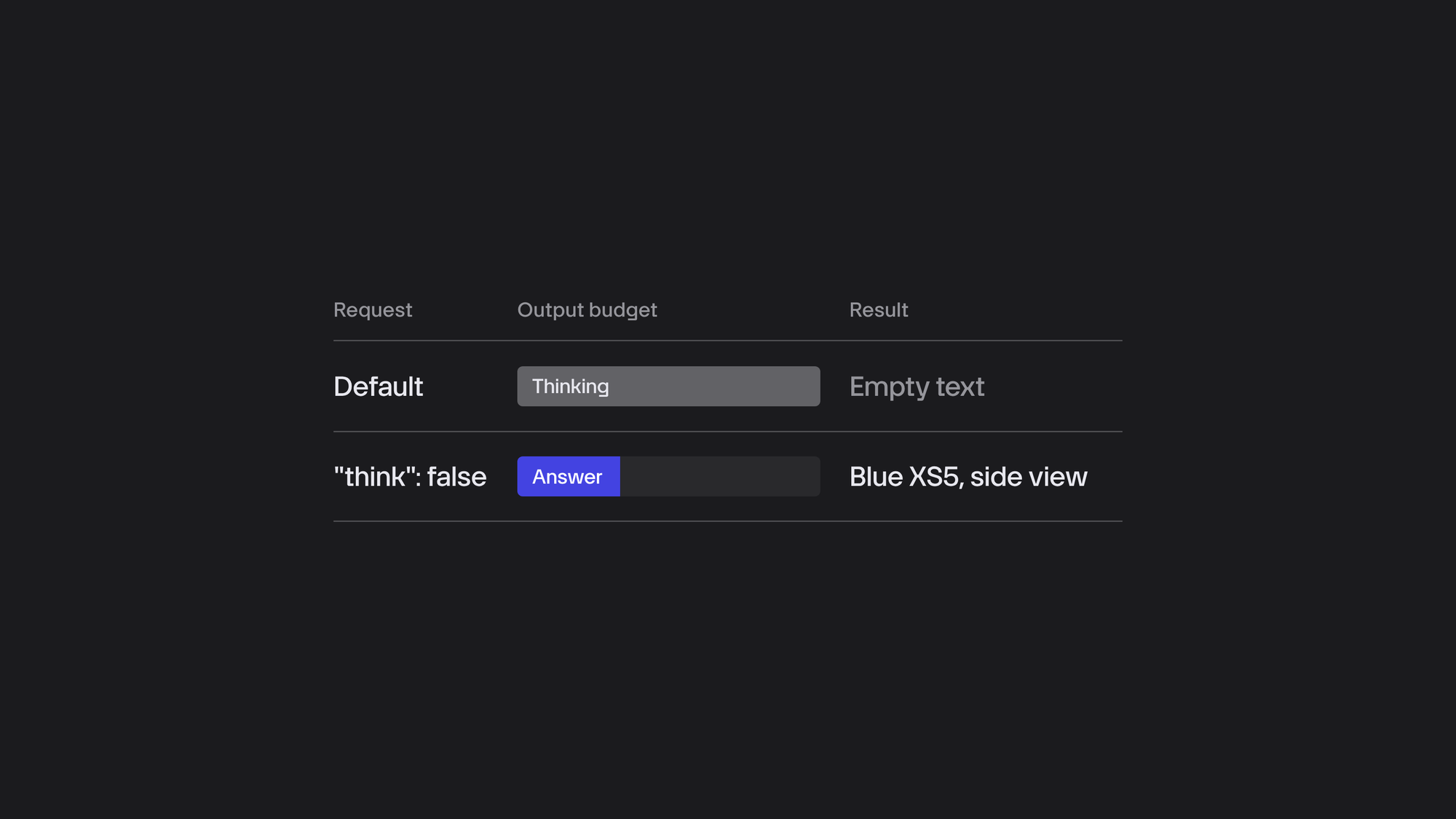
One trap is worth knowing about. The model is a "thinking" model, and without the flag that turns thinking off ("think": false in the Ollama request), it spent its entire token budget on reasoning and returned empty text. A single flag fixed it.
Step 3: The model misnamed one product family, hundreds of times
One vehicle sub-family has a name shaped like "XS5". That is not the real name, but the shape is what matters here. The model kept returning it as "X5" or "X S5", and sometimes named a different product altogether, 504 times in the first run. Two sibling products fared no better, coming back as competitors' vehicles or as garbled tokens.
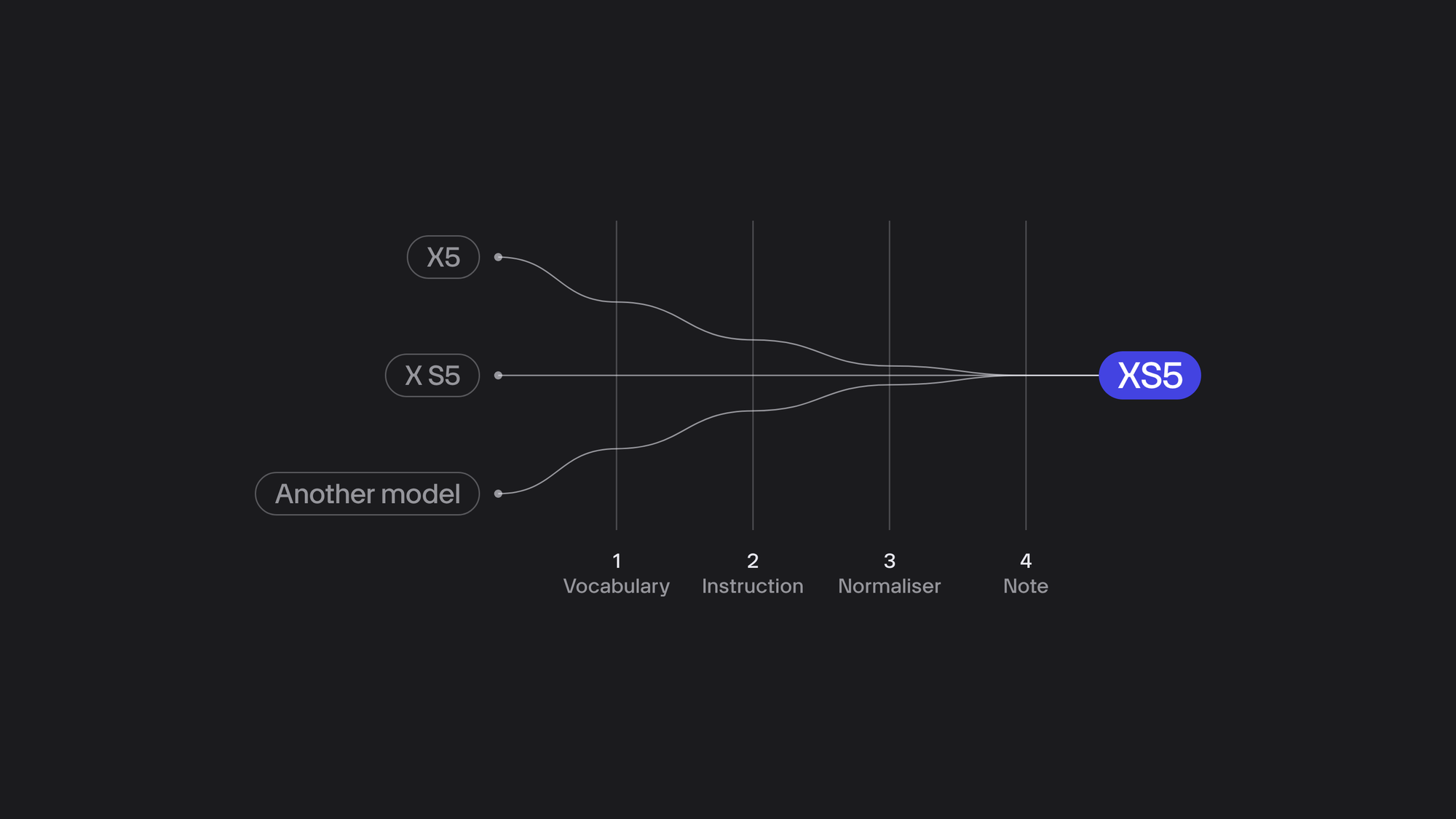
A soft hint ("likely model: XS5") made no difference. What worked was four measures, layered in this order:
- A vocabulary. The system prompt holds the canonical list of product names.
- An instruction. The prompt passes on the name from the folder or filename: "The folder says this is the XS5; name it with exactly that spelling."
- A normaliser. A regex on the output replaces each known alias with the canonical name.
- A note. If a caption still does not name the vehicle its folder names, the review sheet flags it.
Two edge cases needed their own rules. When a press-release filename named several vehicles, the prompt listed all of them and asked for the visible one, and the normaliser left those captions alone. A heritage folder held a genuine older vehicle with a confusable name, so we protected it from the normaliser and scoped the instruction to "the current range has no X5".
The pattern is worth remembering. The model knows the well-known names, and it confidently pulls a niche name toward the closest one it knows.
Step 4: Length limits and retries
Captions over 125 characters got up to two shortening passes during the run. A separate redo mode then re-captioned any row that had errored, was still too long, came back garbled, or failed to name the vehicle its folder named.
Each row gets at most three attempts. Without that cap, a logo in a vehicle folder would loop forever: it can never show a vehicle, so its caption can never pass the check.
Step 5: Code review found real bugs
The toolkit looked like throwaway tooling, but we reviewed it like production code anyway. Two adversarial AI review passes on the pull request turned up real bugs:
- A regex boundary helper wrapped
a|b|cwithout a group, so the lookarounds bound only the first and last alternatives. - After Ctrl-C, the thread pool would finish the entire remaining queue and then discard every result, because the writer loop had already exited.
- A colour check matched "red" inside an unrelated Slavic word.
- Rows that errored were never retried.
- A CSV cell could run as a formula when someone opened the file in a spreadsheet.
The regex bug is easy to write and hard to spot:
# Bug: the lookarounds bind only "a" and "c"
pattern = r"(?<!\w)a|b|c(?!\w)"

# Fix: group the alternatives first
pattern = r"(?<!\w)(?:a|b|c)(?!\w)"
Every fix got a unit test, and the toolkit ended up with 26 of them. A human reviewer then added six more findings, including the uncapped retry loop from Step 4.
Step 6: A human review gate before the CMS
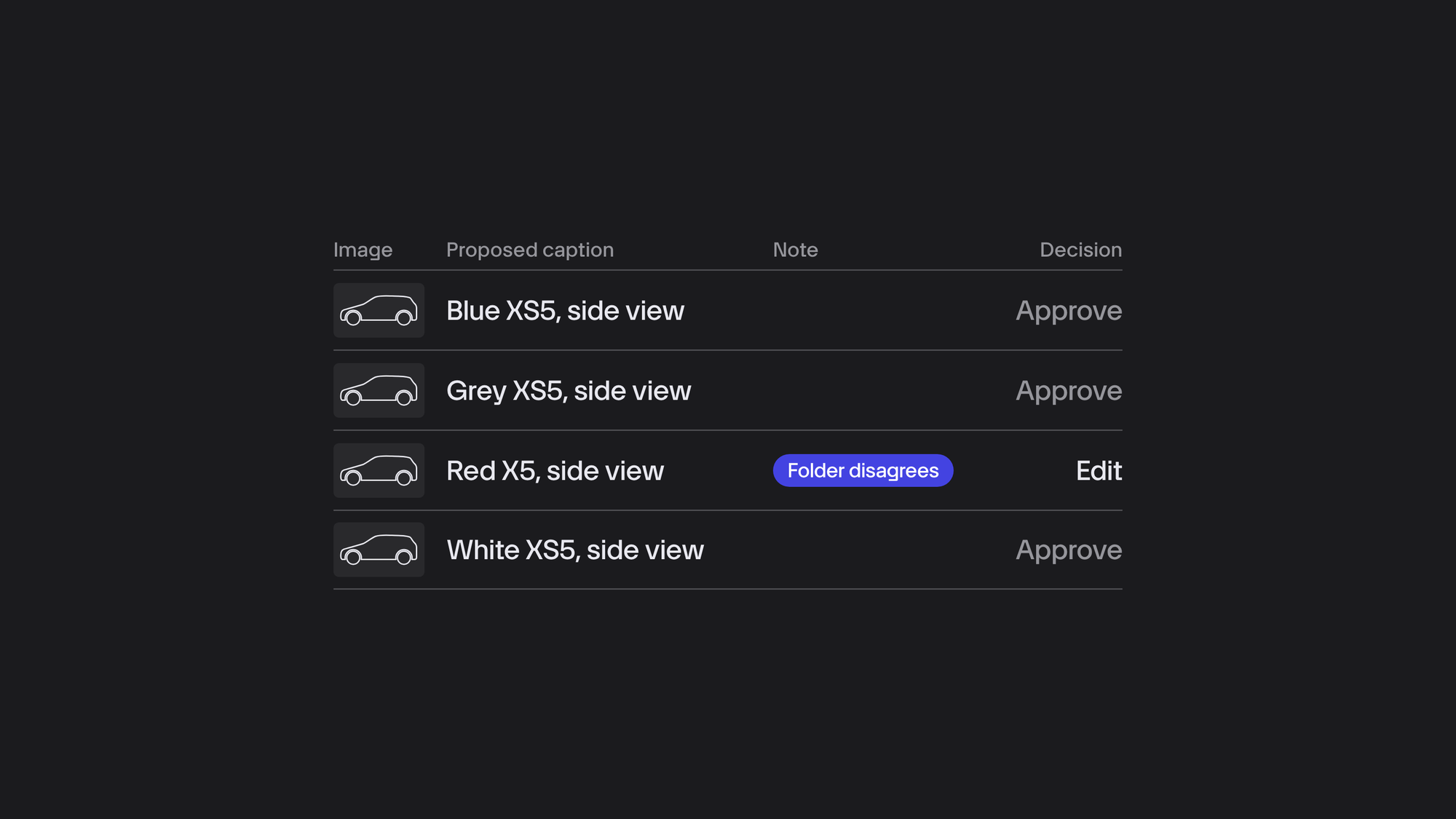
No AI output went into the CMS directly. Everything landed in a CSV review sheet, where each row held a thumbnail link, an admin link, the proposed caption, a decision column (approve, edit or reject) and a note column.
The notes pointed reviewers at the rows that needed a closer look, with flags such as "normalised name", "colour not in filename", "folder disagrees" and "file missing on storage". Of the 11,310 rows, 1,296 carried a note. Fifteen images turned out to be missing from storage entirely, which became a separate cleanup task. The content owner reviewed the English set and approved it.
This gate is what made a local model acceptable in the first place. We did not need a perfect model, just one that was right most of the time and a sheet that showed us where it was not.
Step 7: Translate into 26 languages
The 38 locales share 27 languages. Locales with the same language get the same string, and English locales get the English text, which leaves 26 target languages. Deduplicating the captions before translation cut 11,295 captions down to 9,552 unique strings.
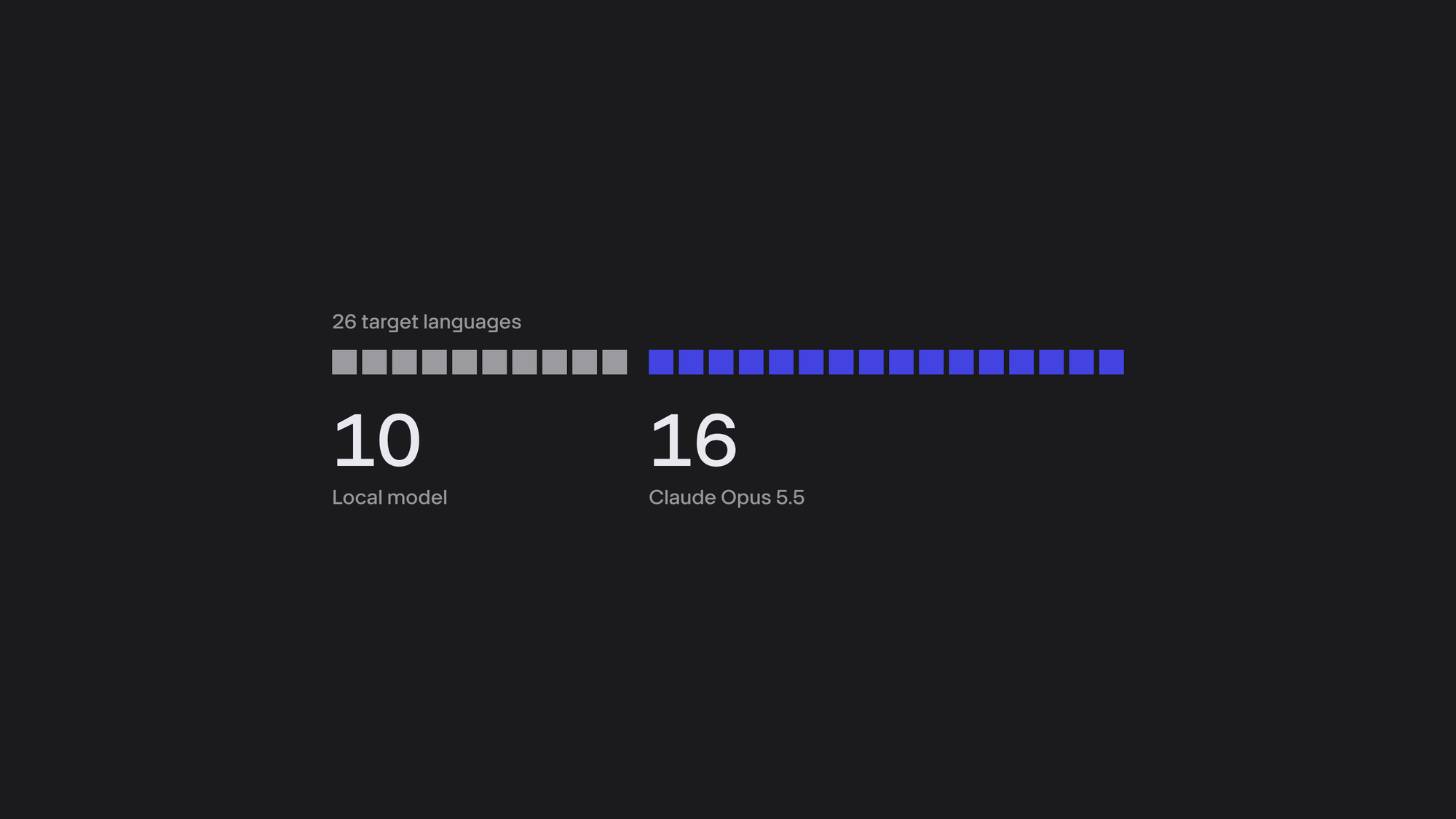
Before committing to a plan, we ran a probe: we translated three captions into all 26 languages and read the results. The local model was fluent in ten languages, mostly West European: German, French, Spanish, Italian, Dutch, Portuguese, Polish, Danish, Swedish and Norwegian. Elsewhere it fell apart. It invented words in Icelandic, the Baltic languages, Hungarian and Macedonian, and made grammar and terminology errors in the other Slavic languages, Greek and Albanian.
So we split the work. The local model took the ten languages it handled well, and Claude Opus 5.5 (claude-opus-5-5) took the other sixteen through the Anthropic API. Both engines processed 20 strings per JSON request and wrote to the same resumable file, recording the engine on each row. That came to roughly 248,000 translations in total, at about 0.4 seconds each on the local model and 0.12 seconds through the API.
Translations run 15 to 30 percent longer than English, so we allowed translated alt text up to 150 characters and shortened only the handful of strings above that.
The API run had two traps. The first was the token budget: with adaptive thinking on, thinking tokens come out of the same output budget as the answer. Our per-string budget was too tight, so some responses came back empty or as truncated JSON, and about 12,500 rows had to be retried with a larger budget.
The second was the credential. The first API launch failed silently because the API key had been exported in a different shell. The run now checks the credential before it submits any work, so a bad key stops it with a single line of output instead of 150,000 error rows.
Step 8: Write to the CMS, carefully
A push script wrote the approved alt text and translations into the CMS one locale at a time. It took a snapshot of the current values first, wrote only where the field was empty, and never overwrote existing alt text. It also limited its request rate, since every save re-renders the pages that embed the image, and it read every write back to verify it.
The approval in the decision column is what made the wording the content team's own. The model only proposed.
What we learned
Hints beat pixels. The folder path and filename did more for accuracy than any prompt wording about the image itself. Give the model the context your team already has.
Models misname niche product names, and they do it with confidence. A soft hint will not fix that. Build a vocabulary, an instruction, a normaliser and a note, in that order.
Probe each language before you trust a model with 250,000 strings. Three sentences per language were enough for us to split the work.
Deduplicate before you translate. It cut our 11,295 captions to 9,552 strings, about 15 percent less work.
Make every long run resumable. An append-only file where the last line wins turns a crash or a Ctrl-C into a pause.
Make a bad credential fail fast. Check it before the run submits any work. One line of output beats 150,000 error rows.
A human review gate is not overhead. It is what let us use a local model at all. The model proposes, and people decide.
Review throwaway tooling like production code. Adversarial review of our scripts caught a stop path that discarded every result and a cell that ran as a formula.
Keep the limits honest. 125 characters for alt text is a convention, not a rule, and translations need headroom.
In two days, the pipeline captioned 11,310 images and produced roughly 248,000 translations, and no caption reached the site without a person's approval.
More room to grow
Turning a task that would otherwise require considerable manual effort into a fast, automated process, without compromising accuracy or quality, is a challenge many businesses face. This project shows what's possible when AI is combined with the right data, processes, and human oversight.
Have a time-consuming process you'd like to automate? Book a free discovery call and let's explore how we can make it work for your business.